What a restore point keeps
Starchaser Linux uses btrfs snapshots managed by snapper to keep earlier versions of system files. Settings > Recovery lists restore points with names such as “Before an update,” along with the changes and what going back would undo.
When automatic snapshots are set up, a snapshot is taken before installs, updates, and removals. Older automatic snapshots are cleaned up. Snapshots you take by hand stay until you delete them.
Recovery restores system files. It does not restore documents or personal settings in your home folder. Keep separate backups of files you care about.
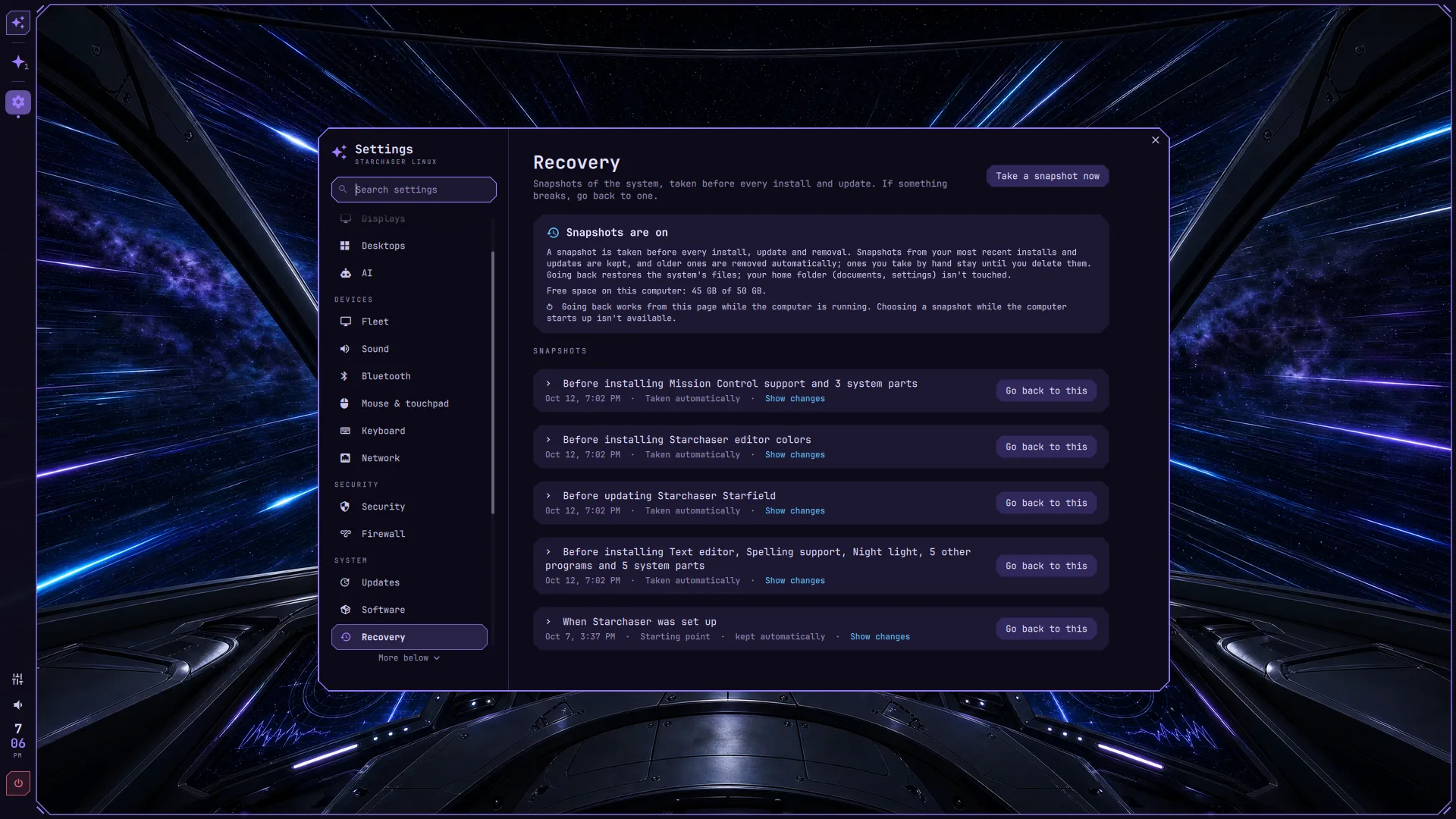
Go back to a restore point
Open Settings > Recovery
Check the snapshot status and find a restore point from before the change you want to undo.
Review what will change
Open the restore point’s details. Choose Go back to this and read the confirmation: it explains the software and system files that will change.
Confirm with your password
Recovery asks for your password, takes a safety snapshot of the current system, and puts back the system files from the selected point. Recovery refuses to run while a software installation or update is in progress. Finish that work first.
Read the result before restarting
If Recovery says Restart to finish going back, save your work and restart. If it says Don’t restart yet, the startup files did not rebuild. Use Rebuild startup files in Recovery and check its result before restarting. If recovery did not finish fully, read its details.
If the desktop will not start
This fallback only works if Recovery reports that the boot menu can start a snapshot. When it is set up, choose Snapshots in the boot menu, then choose a restore point to start from.
If Recovery says choosing a snapshot at startup is unavailable, do not assume this fallback exists. Going back from Settings and starting a snapshot from the boot menu are separate capabilities.
Undo a recovery
Recovery keeps the newest safety snapshot so you can undo your last go-back. Review the Undo recovery option and its changes in Settings before continuing; it asks for your password too.